
Our team developed a web application for planning jobs and assigning crew to dated schedules. The customer's scheduling requirement brought together job records, staff assignments and availability information in a browser-based planning view.
An Excel planner was part of the project's reference material. The web development brought the scheduling workflow into a browser interface with controls for selecting a planning period and working with its jobs.
A planning view built around dates and jobs
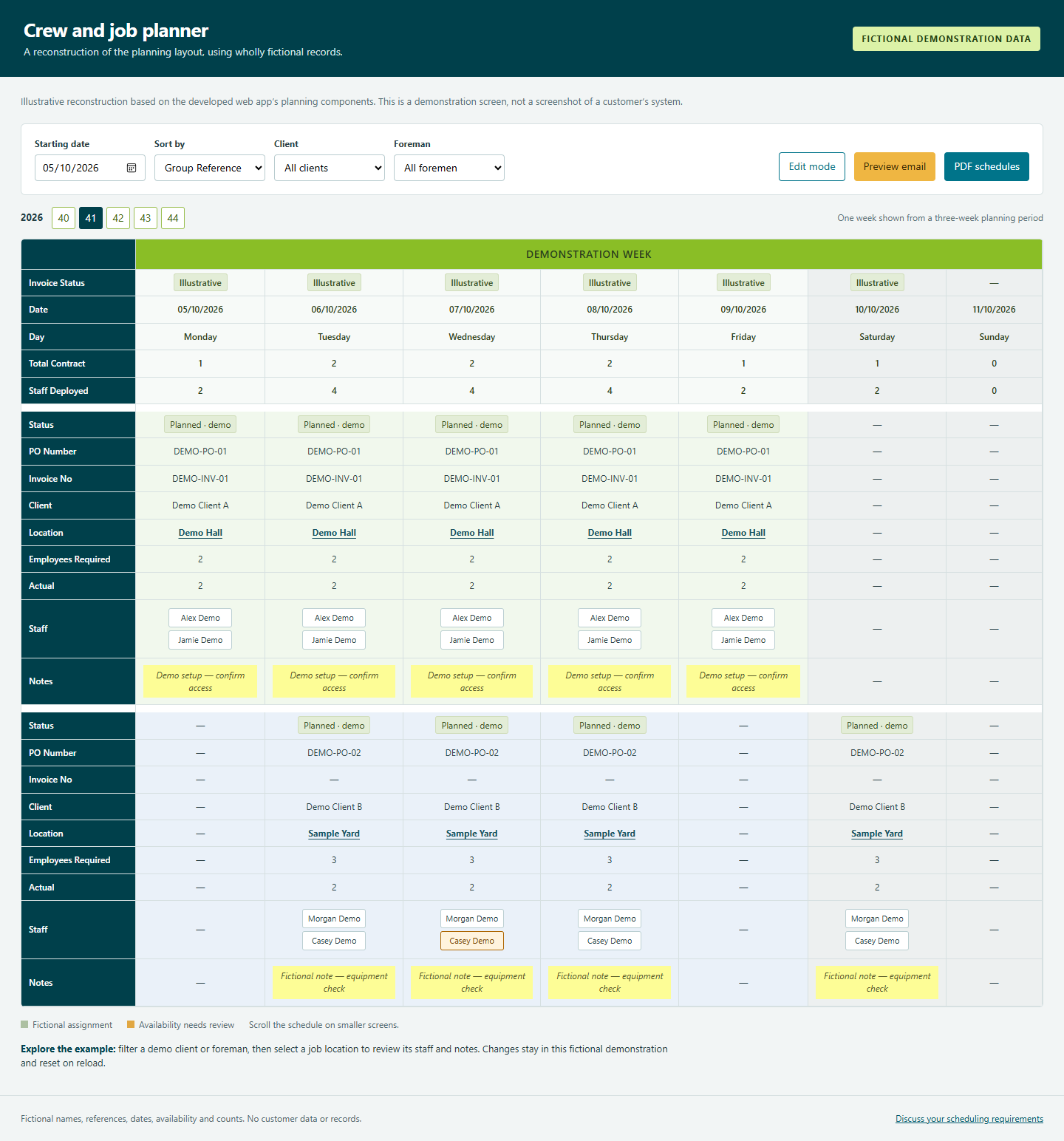
The main planner presents jobs across a selected period. A starting-date control determines the dates in view, with options to group the information by job reference or foreman. Client and foreman filters let the planner focus on a particular selection.
The grid brings together dates, job status, client, location and staffing information. It includes the required staff count and the number assigned, alongside staff names and planning notes. These views connect the job information with the people being scheduled.
Working with jobs and crew assignments
The application includes actions to add a job, view its details, edit it and duplicate it onto selected dates. The staff-assignment controls let a planner work with the team attached to a job.
Availability records feed the staff selection and indicators in the planning view. Assignment checks can flag a double booking, and the application also provides an explicit override. The relevant rules and responsibility for using an override form part of the scheduling requirements.
This is a planning tool with staff and job controls. It does not imply that assignments are automatically optimised or that every possible scheduling conflict is prevented.
Preparing schedules to share
The app includes PDF schedule routines, split into three seven-day outputs for the planning period. It also includes a mailing action for selected recipients.
The planning interface, assignment controls and output routines address different parts of the task: preparing the job records, reviewing who is assigned and producing a schedule to share.
Explore the fictional demonstration
The accompanying fictional demonstration reconstructs the planning layout using wholly fictional names, clients, locations, dates and counts. Its date controls, filtering, job grid, staff lists and notes follow the structure of the developed app's planning components.
You can filter a demo client or foreman and open a fictional assignment to review staff and notes. The demonstration includes illustrative PDF and email previews. It does not connect to the customer system. Changes belong only to the fictional example.
Scope a scheduling system for your business
Start with the jobs you plan, the people and resources assigned, and the rules that matter when making an assignment. Explain how availability is recorded, who can change a plan and how schedules need to be distributed.
If your process currently uses Excel, describe which parts should remain in a workbook and which need a web interface. Our custom Excel development and VBA services cover related spreadsheet requirements. A web workflow needs its own agreed scope.
Discuss your scheduling requirements
The initial consultation is free. Professional development and support are paid services.